• Link to Mail
  • Link to Facebook
  • Link to Instagram
  • Link to LinkedIn
Questions? Send us a message via live chat or our contact form.
Full Service Design Agency - Multimedia Design Agency
  • PORTFOLIO
    • Our Work
    • Our Clients
  •    MAILCHIMP
    • MAILCHIMP TEMPLATES
      • Compare Our Mailchimp Packages
      • Orangutag Mailchimp Package
        • PSD to Mailchimp Conversion
      • Mini Marmoset Mailchimp Package
        • up to 5 content variants/blocks
      • Curious Chimp Mailchimp Package
        • up to 10 content variants/blocks
      • Mailroom Monkey Mailchimp Package
        • up to 10 content variants/blocks + standard list setup and form customization
      • Gorilla Marketer Mailchimp Package
        • up to 10 content variants/blocks + advanced list setup and form customization
      • Additional Content Variant Blocks
        • Expand your Mailchimp template!
    • PREDESIGNED MAILCHIMP TEMPLATES
      • Simplicity Mailchimp Template
    • ABOUT OUR TEMPLATES
      • MAILCHIMP TEMPLATE USER GUIDE
        • Our complete online Mailchimp template user guide
      • Template Spotlight: Edoughble
      • Ours vs. Theirs | Mailchimp Template Features
      • The Ins and Outs of Variable Content Blocks or Variant Selection
      • Scalable (Mobile Friendly) versus Responsive Integration
      • Bulletproof Mailchimp Templates
      • High Density Display Optimization
      • Which Mailchimp package is right for me?
      • Which Mailchimp package add ons are right for me?
    • ADDITIONAL MAILCHIMP SERVICES
      • Additional Variant Content Blocks
      • Mailchimp Campaign Design
      • Mailchimp GDPR Consent Compliance
      • Mailchimp Integration
      • Mailchimp Landing Pages
      • Mailchimp List Setup and Customization
      • Mailchimp Marketing Automation
      • Mailchimp Template Restoration
      • Mailchimp Template Troubleshooting
      • Mailchimp Training
  • SERVICES
    • EMAIL MARKETING
      • Mailchimp Campaign Design
      • Mailchimp Integration
      • Mailchimp List Setup and Customization
      • Mailchimp GDPR Consent Compliance
      • Mailchimp Template Design
      • Mailchimp Template Troubleshooting
      • Mailchimp Training
      • PSD to Mailchimp
    • MARKETING AUTOMATION
      • Landing Pages
      • Marketing Automation Workflow
    • GRAPHIC DESIGN
      • Contact us for more info
    • PHOTOGRAPHY
      • Contact us for more info
    • WEB DEVELOPMENT
      • Contact us for more info
      • Pueblo Web Design
  • BLOG
  • CONTACT
  • HOW WE WORK
  • HELP
    • HELP
      • Help
        • Find answers to frequently asked questions and access helpful knowledgebase articles and tutorials
    • CLIENT CENTER
      • Client Center
        • Helpful resources, links, and information
    • TEMPLATE USER GUIDE
      • MAILCHIMP TEMPLATE USER GUIDE
        • Our complete online Mailchimp template user guide
  • Click to open the search input field Click to open the search input field Search
  • Menu Menu
  • Shopping Cart Shopping Cart
    0Shopping Cart

Posting Messages to Basecamp: A How-To Tutorial

December 29, 2011/in Company News

Goodbye email. Hello Basecamp.


August 31, 2012: Basecamp has changed a lot since we originally published this post in December of 2011. We’ve updated this article to reflect the latest changes to Basecamp.

Pop a tent and stay awhile.

As most of our client’s know we’ve been using Basecamp for the last couple of few years to track our clients’ projects from conception to completion.

But inevitably, from time to time, we hear from folks that they’re just plain confused by the technical jargon and certain finesse that is required when using Basecamp to track their project.

In their frustration they simply gather up their documents, files, photographs, and questions, and fire them off to us via email in hopes that we will receive them and can sort them out. This is bad for a number of reasons.

  1. Firstly: Accountability. How do you know your message(s) reached the intended recipient? And when?
  2. That all your files were in fact still intact once they arrived and in the order they were intended?
  3. And, finally it’s just plain easier to track everything all in one place without all the hassle of back and forth with email communication and who said what to who when and where last Tuesday with the umbrella.  Use Basecamp messages to keep all the discussions about a project in one centralized location.

And if you’re a lover of all things email you’ll appreciate the tips and tricks below that will help you get the most out of your experience in working with our agency. We’ve also published a companion PDF guide, Getting Acquainted with Basecamp (which you’ll find in the “Files” area of your project), to assist you in getting started with Basecamp.

If at any time you have any questions please feel free to drop us a line; we’re always so glad to hear from you.

There are one of two ways to use Basecamp which we’ll outline below.

The Old Fashioned Way (also known as “by hand”)

When you login to Basecamp for the first time you’ll notice a series of navigation links located below your project name and details. These are your lifeline in Basecamp and grant you access to everything related to your project in one place.

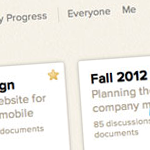
Under the “Discussions” area you can post messages and reply to threads similar to a forum type setting while the “To-Dos” and “Dates” features allow you to track your project and gauge when you can expect your project to be completed.

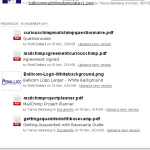
Files and design collateral can be uploaded manually one of two ways. The first being under the “Files” link and the second being attached to a message. Drag and drop individual or groups of files to your project space easily. There are no limits to the number of files you may upload.

The New Fangled Fancy Way

Just fire off an email to your unique Basecamp email address and you’re on your way. No pain. All gain. Sweet.

Need to send off a project update, message, or other project related message, or materials? Using your unique Basecamp email address allows you to send an email to Basecamp containing all the pertinent details to get started on your project. You can even attach files to your emails which will be uploaded alongside the email message body.

To find your unique Basecamp email address login to your Basecamp account using your chosen login credentials.  Navigate to the project you wish to email content to. At the bottom right corner of every project you’ll see a link that says “Email content to this project”. Clicking this link will present an array of icon options on how to add content to your Basecamp project via email. Clicking any one of those icons shows you the simple steps for each feature.

Discussions aren’t the only things that can be created  via email. Basecamp gives you the ability to make to-do lists, create documents, upload files, or simply forward related emails (handy for looping our team in on internal emails from your company). And if the email is a HTML email, Basecamp shows the full HTML email too! Perfect for forwarding email newsletters that inspire you or sharing your current newsletter with us.

When Basecamp receives your email and posts your content to the project, it immediately sends you an email receipt letting you know it worked. And for most content, the email also includes a link to let you notify others on the project letting them know that you just added something to the project. No need to follow up with your project staff to inquire if they received the latest round of revisions or feedback from you team.

Another great feature that Basecamp recently unveiled is The Daily Recap. The Daily Recap report hits your inbox at the start of each day allowing you to start the morning by reviewing everything that happened yesterday – right from your inbox. Coffee not included.

In the event you would like more in depth up to date tracking clicking the “Catch up” link located in the upper right corner of your project space will give you a birds eye overview on what you missed.

The run around on email collaboration; forgetaboutit.

Say goodbye to lost emails forever.

Share this entry
  • Share on Facebook
  • Share on X
  • Share on Pinterest
  • Share on LinkedIn
  • Share on Tumblr
  • Share on Vk
  • Share on Reddit
  • Share by Mail
https://blueprintmediastudios.com/wp-content/uploads/2011/02/37ed56d5c7a59d4421b460578a24da80.png 175 184 Tanya Steinberg https://blueprintmediastudios.com/wp-content/uploads/logo-w-partner-badge.png Tanya Steinberg2011-12-29 03:01:022016-08-06 14:52:31Posting Messages to Basecamp: A How-To Tutorial

Latest News

  • Adding the Mailchimp Required media:content Tag to your WordPress RSS Feed OutputSeptember 28, 2018 - 12:43 pm
  • Connecting Your Site to MailchimpMarch 8, 2018 - 1:59 pm
  • We’re Not Just Mailchimp Experts, but PartnersMarch 2, 2018 - 10:40 pm
  • We’re Off to Atlanta (and Mailchimp HQ!)February 26, 2018 - 8:00 am
  • Template Spotlight: EdoughbleAugust 8, 2017 - 12:38 pm

Prefer to receive updates via email?

Subscribe
View a recent issue | MailChimp Powered by Mailchimp

READY TO PLACE AN ORDER?

Use our convenient online ordering system or give us a call at 888 476 6168 to place your order via telephone.

Our online ordering system is the quick, secure way to place your order and allows your company to get started quickly – even outside normal business hours, on holidays, and during weekends. Once your order is placed you’ll receive immediate download access to key documentation required for your project (if any).

Build your brand with expert insight and recommendations from our MailChimp Partners

direct to your inbox

Sign me up!
View a recent issue | MailChimp Powered by Mailchimp

ABOUT US

About Us
Clients
How We Work

NEED HELP?

Find answers to frequently asked questions and access helpful knowledgebase articles and tutorials via our Help section.

Search Search
Copyright © 2025 Blueprint Media Studios LLC PO Box 7922 Pueblo West, CO 81007-2854. All rights reserved. Policies | Privacy Policy | Cookie Policy | Data Access Request
  • Link to Mail
  • Link to Facebook
  • Link to Instagram
  • Link to LinkedIn
Link to: Top 5 Ways to Expedite Your Project Process Link to: Top 5 Ways to Expedite Your Project Process Top 5 Ways to Expedite Your Project Process Link to: New Basecamp Brief Link to: New Basecamp Brief New Basecamp Brief
Scroll to top Scroll to top Scroll to top